Canon 80D Owners Manual: A Comprehensive Guide
Welcome! This comprehensive guide unlocks the full potential of your Canon EOS 80D. Explore detailed PDF manuals, software, and firmware downloads directly from Canon’s official website for optimal performance.
Access troubleshooting resources and online support to enhance your photographic journey, ensuring a seamless experience with your new camera.

The Canon EOS 80D is a powerful and versatile Digital SLR camera designed for photography enthusiasts and professionals alike. This camera boasts a 24.2-megapixel APS-C CMOS sensor and a robust 45-point all cross-type AF system, delivering exceptional image quality and precise autofocus performance.
This owner’s manual serves as your essential companion, guiding you through every aspect of the 80D’s capabilities. Whether you’re a seasoned photographer or just beginning your journey, this resource will help you master the camera’s features and unlock your creative potential. You’ll find detailed explanations of the camera’s controls, shooting modes, and customization options.
Remember, more detailed Instruction Manuals are available as PDF downloads from the Canon website, offering an in-depth exploration of the EOS 80D’s functionalities. This guide will help you navigate the menu system and optimize your settings for stunning results.
Understanding the Basic Instruction Manual
The booklet included with your Canon 80D is the Basic Instruction Manual, designed to get you started quickly. It provides a concise overview of essential functions, including camera setup, basic shooting modes, and navigating the menu system. This initial guide focuses on the most frequently used features, allowing you to begin capturing images immediately.
However, for a comprehensive understanding of all the EOS 80D’s capabilities, it’s crucial to supplement this basic manual with the detailed Instruction Manuals available as PDF files on the Canon website. These PDF versions delve into advanced settings, customization options, and troubleshooting tips.
The basic manual is a starting point; the downloadable PDF is your complete reference. Ensure you have Adobe Reader version 6.0 or later to properly view and utilize these valuable resources.
Downloading the Complete Instruction Manual (PDF)
To access the full Canon EOS 80D Instruction Manual in PDF format, visit the official Canon website. Navigate to the support section and search for your camera model – EOS 80D (W). You’ll find a dedicated page with downloadable resources, including the comprehensive manual in multiple languages.
The PDF manual offers a significantly more detailed exploration of your camera’s features than the basic printed booklet. It covers everything from advanced autofocus settings and custom functions to image editing and connectivity options. Downloading the manual allows for easy searching and offline access.
Canon frequently updates these resources, so ensure you have the latest version for the most accurate information. You may also find supplementary guides and software downloads on the same support page.
System Requirements for PDF Viewing
To ensure a smooth viewing experience of the Canon EOS 80D’s Instruction Manual PDF, specific software requirements must be met. Adobe Reader is the recommended software for opening and interacting with the document. Canon specifically advises using Adobe Reader 6.0 or a later version for optimal compatibility.
Older versions of Adobe Acrobat Reader, such as 4.x or earlier, may encounter difficulties displaying the PDF correctly, potentially leading to formatting issues or an inability to open the file altogether. Regularly updating your Adobe Reader ensures you have the latest features and security enhancements.
The PDF is designed for standard computer operating systems. While compatibility is generally broad, having an updated operating system and sufficient system resources will contribute to a seamless viewing experience.
Adobe Reader Version Compatibility
Confirm your Adobe Reader version for trouble-free access.
Ensuring you have a compatible version of Adobe Reader is crucial for correctly viewing the Canon EOS 80D’s detailed Instruction Manual in PDF format. Canon explicitly recommends Adobe Reader 6.0 or any subsequent version for optimal performance and accurate display of the manual’s content.
Users attempting to open the PDF with older software, specifically Adobe Acrobat Reader 4.x or any version preceding it, may experience issues. These can range from minor formatting errors to a complete inability to access the document. Updating to the latest Adobe Reader version guarantees full functionality.
Regular updates provide enhanced security features and improved PDF rendering capabilities, ensuring a smooth and reliable experience when consulting your camera’s documentation. Verify your current version to avoid potential compatibility problems.
Camera Overview: Key Features and Controls
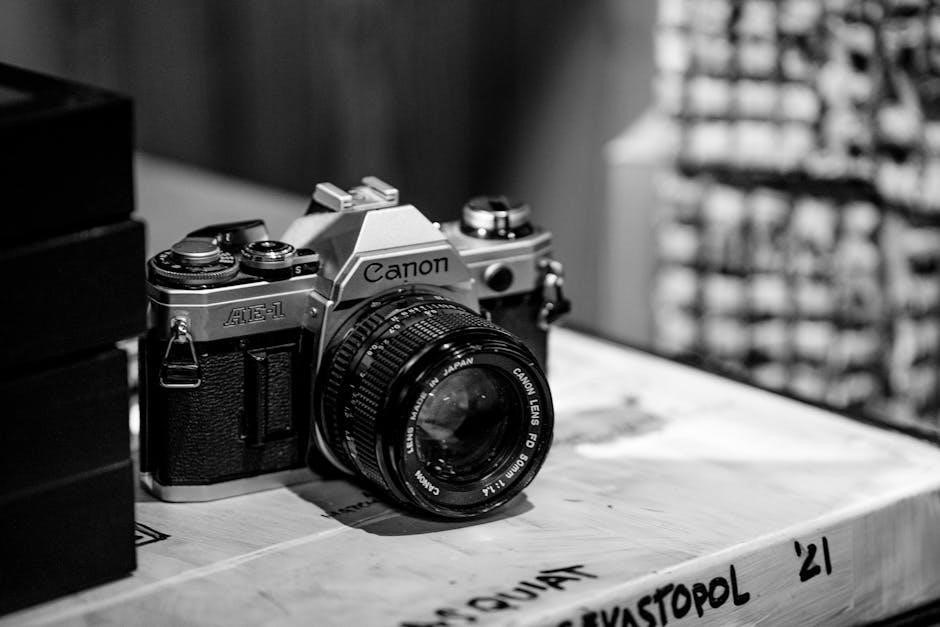
The Canon EOS 80D boasts a powerful feature set designed for both amateur and professional photographers. Key highlights include a 24.2MP APS-C CMOS sensor, delivering exceptional image quality and detail. Its 45-point all cross-type AF system ensures rapid and precise autofocus, crucial for capturing fast-moving subjects.
The camera’s intelligent viewfinder provides a 100% frame coverage, while the vari-angle touchscreen LCD facilitates creative shooting from various angles. Canon incorporated Dual Pixel CMOS AF for smooth and accurate video recording, supporting Full HD 1080p at up to 60fps.

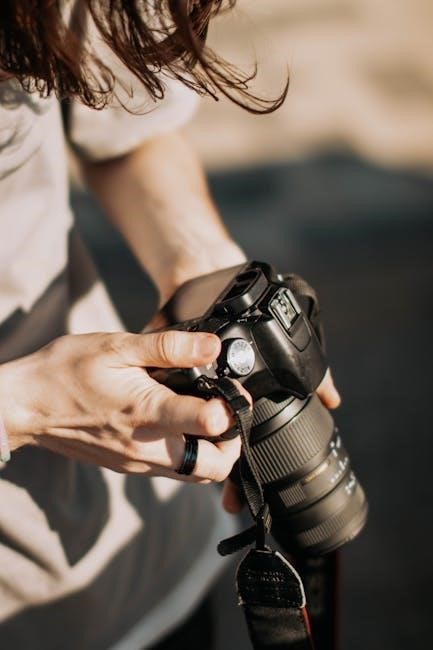
Essential controls include the mode dial, shutter button, and various customizable buttons, allowing for personalized operation. Understanding these controls is fundamental to maximizing the 80D’s capabilities and achieving desired photographic results.
Setting Up Your Canon 80D
Initial Setup: Begin by inserting a compatible SD card into the designated slot. Next, attach your chosen lens, ensuring a secure connection. Install the mode dial, setting it to the desired shooting mode – Auto, Program, Aperture Priority, Shutter Priority, or Manual.
Power on the camera and follow the on-screen prompts to set the language, date, and time. Configure your image quality settings, selecting the appropriate resolution and file format (JPEG, RAW, or both).
Connect the camera to a computer via USB to charge the battery fully. Familiarize yourself with the button layout and menu navigation for efficient operation. Refer to the detailed Canon instruction manual (PDF) for comprehensive guidance on customizing settings to your preferences.
Installing the Mode Dial
Mode Dial Installation: To properly install the mode dial on your Canon 80D, locate the dial’s position on the top panel of the camera. Gently align the dial’s indicator with the corresponding mark on the camera body.
Press down firmly, but carefully, until you hear a click, confirming a secure attachment. Ensure the dial rotates smoothly through all shooting modes – including Program (P), Aperture Priority (Av), Shutter Priority (Tv), Manual (M), and various scene modes.
If resistance is felt, do not force it; re-align and try again. A correctly installed mode dial is crucial for selecting the desired shooting settings. Consult the Canon PDF manual for visual diagrams and troubleshooting tips if needed.
Navigating the Menu System
Menu System Overview: The Canon 80D’s menu system is accessed via the MENU button located near the rear LCD screen. It’s organized into several tabs – Shooting, AF, Exposure, Autofocus/MF, Picture Quality, Custom Functions, and Setup – each containing numerous settings.
Use the directional buttons or the Multi-Controller to navigate through the tabs and options. The LCD screen displays the available settings, and pressing the SET button confirms your selection.
To return to the previous menu, press the MENU button again. Familiarize yourself with the menu structure by exploring each tab. The downloadable PDF manual provides a detailed explanation of every setting, ensuring you can customize your EOS 80D to your exact preferences.
Shooting Modes Explained
Diverse Shooting Options: The Canon 80D offers a wide array of shooting modes, catering to various skill levels and photographic scenarios. These include Program (P), Aperture Priority (Av), Shutter Priority (Tv), and Manual (M) modes, granting full creative control.
Scene Modes: For beginners, the Scene modes – Portrait, Landscape, Sports, and more – automatically optimize camera settings for specific subjects. The Instruction Manual (PDF download) details each mode’s function.
Creative Filters: Explore creative filters like Grainy Black & White and Fish-eye effect for unique artistic results. The mode dial allows quick selection, while the menu system provides further customization options. Understanding these modes unlocks the EOS 80D’s full potential, enabling stunning images in any situation.
Understanding the Different Scene Modes
Optimized for Specifics: The Canon 80D’s Scene modes simplify photography by automatically adjusting settings for common subjects. Portrait mode softens backgrounds for flattering results, while Landscape mode maximizes depth of field for sharp scenery.
Action & More: Sports mode prioritizes fast shutter speeds to freeze motion, ideal for capturing dynamic action. Night mode enhances low-light performance, and Kids mode prioritizes fast autofocus for moving children.
Detailed Guidance: Refer to the downloadable Instruction Manual (PDF) for a comprehensive explanation of each Scene mode’s parameters and optimal usage. These modes are perfect for beginners, offering a convenient way to achieve great results without manual adjustments. Experiment to discover the best mode for your photographic vision!
Focusing System: Modes and Techniques
Advanced Autofocus: The Canon 80D boasts a sophisticated 45-point all cross-type autofocus system, delivering exceptional accuracy and speed. Explore various AF area selection modes – Single-Point AF for precise control, Zone AF for tracking subjects within a defined area, and Automatic AF point selection for convenient all-around focusing.
AI Servo & More: Utilize AI Servo AF for continuous tracking of moving subjects, crucial for sports and wildlife photography. One Shot AF is ideal for stationary subjects. The Instruction Manual (PDF) details each mode’s functionality.
Manual Focus Precision: For ultimate control, switch to manual focus. Utilize focus peaking and magnification for precise adjustments. Mastering these techniques unlocks the full potential of your EOS 80D’s focusing capabilities.
Autofocus Point Selection
Precise Control: The Canon 80D offers extensive control over autofocus point selection. You can manually choose from 45 AF points, or leverage automatic selection modes for convenience. The Instruction Manual (PDF) provides a visual guide to each point’s location within the frame.
AF Area Modes: Explore Single-point AF for pinpoint accuracy, ideal for static subjects. Zone AF allows selection of a zone of AF points, useful for tracking moving subjects within a specific area. Large Zone AF and Automatic AF point selection offer broader coverage.
Customization: Customize AF point behavior via the camera’s menu. Adjust tracking sensitivity and acceleration/deceleration settings to fine-tune performance for various shooting scenarios. Mastering AF point selection is key to consistently sharp images.
Customizing Your Canon 80D
Personalize Your Experience: The Canon 80D empowers you to tailor the camera to your shooting style. Dive into the menu system to access a wealth of customization options, enhancing workflow and control.
Custom Function Settings: Utilize the Custom Functions (CF) to assign frequently used settings to buttons and dials. This allows for quick access to essential controls without navigating menus. The Instruction Manual (PDF) details each CF option and its functionality.
My Menu: Create a personalized “My Menu” tab, consolidating your most-used settings for instant access. Adjust button assignments, display settings, and autofocus behavior to optimize the camera for your specific needs. Explore the possibilities and make the 80D truly your own!
Custom Function Settings
Unlock Advanced Control: Custom Function (CF) settings on your Canon 80D are key to streamlining your workflow. These settings allow you to assign specific operations to buttons and dials, providing instant access to frequently used features.
Personalized Operation: Explore the extensive list of CF options within the camera’s menu. You can customize autofocus behavior, exposure settings, display preferences, and more. Refer to the detailed Instruction Manual (PDF) for a complete understanding of each function.
Efficiency & Speed: By assigning critical controls to physical buttons, you minimize menu diving and maximize shooting speed. Experiment with different configurations to find what best suits your photographic style and shooting scenarios. Truly make the EOS 80D work for you!
Working with Images: Playback and Editing
Review & Refine: The Canon 80D offers robust image playback and basic editing capabilities directly within the camera. After capturing your photos, utilize the playback screen to review sharpness, exposure, and composition.
In-Camera Editing: Apply quick adjustments like cropping, rotation, and color filters. You can also correct white balance and adjust brightness. These edits are non-destructive, meaning your original file remains untouched.
Detailed Inspection: Zoom in to 100% to critically assess focus accuracy and image detail. Utilize the histogram display to evaluate exposure distribution. For more advanced editing, transfer your images to a computer and utilize software like Adobe Photoshop or Canon’s Digital Photo Professional.
Connectivity Options: Wi-Fi and NFC
Seamless Sharing: The Canon 80D boasts integrated Wi-Fi and NFC (Near Field Communication) for effortless image transfer and remote camera control. Wi-Fi allows connection to smartphones, tablets, and computers for direct image sharing to social media or cloud storage.
Canon Camera Connect App: Download the free Canon Camera Connect app to your mobile device. This app enables remote live view monitoring, shutter release, and adjustment of camera settings from your smartphone.
NFC One-Touch: NFC simplifies pairing with compatible devices. Simply touch your NFC-enabled smartphone to the camera for instant connection. Transferring images is quick and convenient, streamlining your workflow. Explore further options through Canon’s official website for detailed instructions.
Transferring Images to Your Computer
Multiple Methods: Transferring photos and videos from your Canon 80D to your computer is straightforward, offering several convenient options. You can utilize a USB cable, a memory card reader, or Wi-Fi connectivity.
USB Connection: Connect your camera to your computer using a USB cable. The 80D will typically appear as a removable drive, allowing you to directly copy files. Ensure you have the necessary drivers installed for optimal performance.
Card Reader: A memory card reader provides a faster transfer speed. Simply insert your SD card into the reader and connect it to your computer. This method is ideal for large file transfers.
Canon Software: Utilize Canon’s software, downloadable from their website, for enhanced image management and transfer capabilities. Explore resources for detailed guidance.
Troubleshooting Common Issues
Common Problems & Solutions: Encountering issues with your Canon 80D is normal. Here’s a guide to resolving frequent problems. If the camera freezes, try removing and reinserting the battery. For Wi-Fi connection difficulties, ensure your network is compatible and the password is correct.
Error Messages: Pay close attention to any error messages displayed on the LCD screen. Consult the full Instruction Manual (PDF) available on Canon’s website for specific error code explanations and recommended solutions.
Card Errors: If you experience card errors, try formatting the card within the camera (back up data first!). Ensure the card is compatible with the 80D. If problems persist, try a different card.
Canon Support: For more complex issues, Canon’s online support resources and troubleshooting guides are invaluable. Don’t hesitate to contact Canon directly for assistance.
Canon Support and Resources
Extensive Support Network: Canon provides a wealth of resources for EOS 80D owners. The official Canon website is your primary hub for downloading the complete Instruction Manual (PDF), software updates, and essential drivers for seamless computer connectivity.
Online Resources: Explore Canon’s online knowledge base, featuring FAQs, troubleshooting guides, and helpful articles addressing common user queries. Access online technical support for personalized assistance with your camera.
Community Forums: Connect with fellow Canon 80D users in online forums to share experiences, ask questions, and learn from each other. These communities offer valuable insights and practical tips.
Direct Support: For direct assistance, Canon offers phone and email support options. Visit the Canon website to find contact information and service center locations.
Firmware Updates: Keeping Your Camera Current
Importance of Updates: Regularly updating your Canon EOS 80D’s firmware is crucial for optimal performance, enhanced compatibility, and bug fixes. Canon frequently releases firmware updates to improve camera functionality and address potential issues.
Downloading Firmware: Visit the official Canon website to download the latest firmware version specifically designed for the EOS 80D. Ensure you download the correct file for your camera model.
Update Procedure: Carefully follow the instructions provided by Canon for installing the firmware update. Typically, this involves transferring the update file to an SD card and executing it through the camera’s menu system.
Precautions: Do not interrupt the firmware update process, as this could potentially damage your camera. Ensure your camera has sufficient battery power before starting the update.
Language Options for the Manual
Canon provides the EOS 80D owners manual in a multitude of languages to cater to a global user base. Beyond English, you’ll find versions available in Italian, Ukrainian, and Russian, ensuring accessibility for diverse users.
Accessing Different Languages: The comprehensive PDF instruction manuals are downloadable from the official Canon website, with options to select your preferred language during the download process. This allows users to navigate the guide in their native tongue.
International Support: This commitment to multilingual support demonstrates Canon’s dedication to providing a user-friendly experience for photographers worldwide. The availability of various language options simplifies understanding and maximizes the camera’s potential.
Finding Your Language: Explore the Canon support section and filter by language to quickly locate the manual tailored to your needs, ensuring a smooth learning curve with your EOS 80D.

Additional Resources and Online Support
Canon offers a wealth of supplementary resources to enhance your EOS 80D experience. Beyond the downloadable PDF manuals, the official Canon website provides access to drivers, software updates, and essential firmware for optimal camera performance.
Online Technical Support: Explore the extensive online support section for troubleshooting guides, frequently asked questions, and helpful articles addressing common issues. This self-service portal empowers users to resolve problems independently.
Community Forums: Connect with fellow EOS 80D users in vibrant online forums to share tips, techniques, and creative inspiration. Benefit from collective knowledge and expert advice.
Canon’s dedication to customer support ensures you have the tools and assistance needed to fully unlock the potential of your camera, fostering a thriving community of photographers.